In this article
- What ORA-01555 means
- Sample setup
- Step 1: Confirm the error and find the failing query
- Step 2: Check your undo configuration
- Fix 1: Long query and not enough undo space
- Fix 2: Commit inside a cursor loop
- Fix 3: ORA-01555 with LOB columns (ORA-22924)
- When to use RETENTION GUARANTEE
- Common mistakes
- Best practices to prevent ORA-01555
- Frequently asked questions
- Summary
ORA-01555: snapshot too old means a query needed an old version of some data to stay read-consistent, but the undo that held that old version had already been overwritten. The query fails, even though nothing is wrong with the SQL itself.
The fix is almost never "just raise UNDO_RETENTION". You first find out which query failed and how long it ran, then fix the real cause: an undo tablespace that is too small for your longest query, a PL/SQL loop that commits while its cursor is still open, or LOB undo. This guide walks through each case with queries you can run.
What ORA-01555 means
Oracle never shows a query half-finished changes. In the default read committed mode, every query sees the data as it was at the moment the query started, identified by a system change number (SCN). If another session changes a row after your query starts, Oracle rebuilds the old version of that block using undo data. The rebuilt copy is called a consistent read (CR) clone.
Undo lives in the undo tablespace and is reused in a circular way. Once a transaction commits, its undo is kept for a while (the undo retention period) and then becomes expired, which means it can be overwritten. If your query is still running and needs undo that has been overwritten, Oracle cannot rebuild the old block, so it raises ORA-01555.
The full message looks like this:
ORA-01555: snapshot too old: rollback segment number <n> with name "<segment name>" too smallThe words "rollback segment" and "too small" are historical. With Automatic Undo Management (the normal setup today), the segment named in the message is a system-managed undo segment, and resizing that one segment is not the fix.
Here is the sequence of events that leads to the error:
| Time | Session A (report) | Session B (batch job) |
|---|---|---|
| 10:00 | Starts a long SELECT on orders (consistent as of 10:00) | |
| 10:05 | Still reading | Updates many orders rows, commits |
| 10:20 | Still reading | Keeps updating and committing; undo space is reused |
| 10:40 | Reaches a block changed at 10:05, needs its 10:00 version | The undo for the 10:05 change has been overwritten |
| 10:40 | Fails with ORA-01555 |
Notice that session A did nothing wrong except run for a long time while other sessions changed the same data. That is why ORA-01555 is mostly a question of query duration versus how long undo survives.
Sample setup
The examples use a small orders table and an order_audit table. Generate enough rows that a slow loop takes a while to finish.
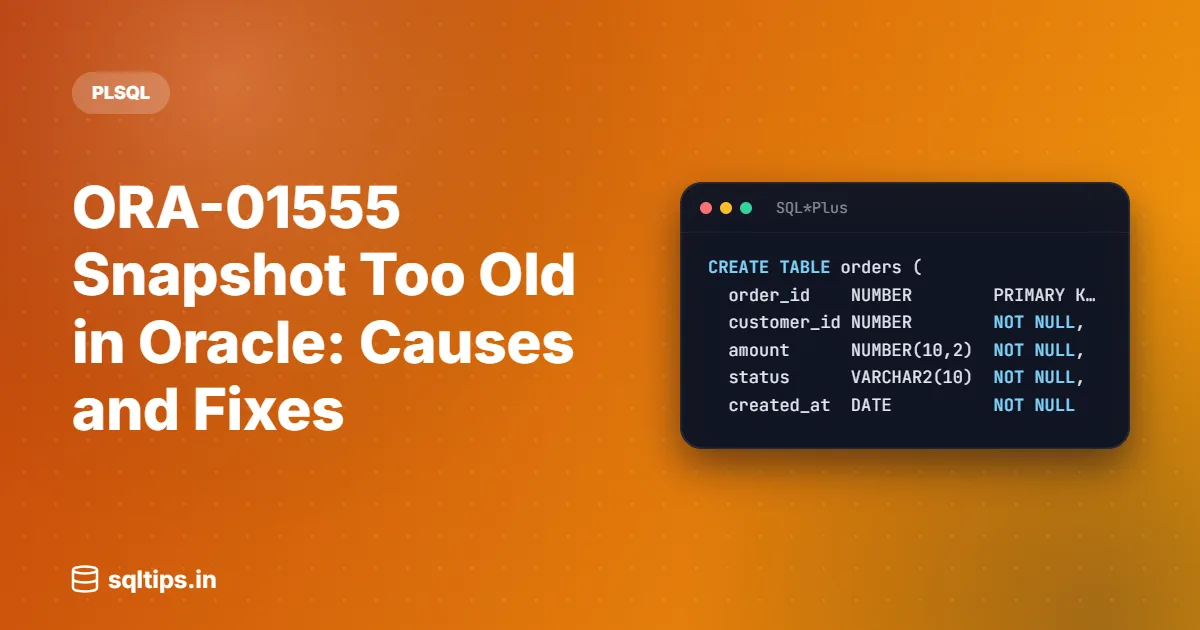
CREATE TABLE orders (
  order_id    NUMBER        PRIMARY KEY,
  customer_id NUMBER        NOT NULL,
  amount      NUMBER(10,2)  NOT NULL,
  status      VARCHAR2(10)  NOT NULL,
  created_at  DATE          NOT NULL
);

INSERT INTO orders (order_id, customer_id, amount, status, created_at)
SELECT LEVEL,
       MOD(LEVEL, 500) + 1,
       ROUND(DBMS_RANDOM.VALUE(100, 5000), 2),
       'NEW',
       SYSDATE - MOD(LEVEL, 90)
  FROM dual
CONNECT BY LEVEL <= 200000;

COMMIT;Step 1: Confirm the error and find the failing query
Before changing any setting, collect three facts: which SQL failed, how long it had been running, and how much undo your database was keeping at that time.
Check the alert log
Oracle writes an entry to the alert log when ORA-01555 happens. It starts with a line similar to ORA-01555 caused by SQL statement below and includes the SQL ID, the query duration in seconds and the SCN, followed by the SQL text. You can search the alert log with ADRCI:
adrci> show homes
adrci> set home diag/rdbms/<db_name>/<instance_name>
adrci> show alert -p "message_text like '%ORA-01555%'"The query duration is the most useful number here. Compare it with the undo retention figures in the next step.
Check V$UNDOSTAT
V$UNDOSTAT keeps one row per 10-minute interval for roughly the last four days (older intervals go to DBA_HIST_UNDOSTAT). Three columns matter most for ORA-01555:
SSOLDERRCNT: how many times ORA-01555 occurred in that interval.MAXQUERYLENandMAXQUERYID: the longest query in seconds and its SQL ID.TUNED_UNDORETENTION: the retention, in seconds, that Oracle was actually using.NOSPACEERRCNT: how many times a transaction asked for undo space and none was free.
SELECT TO_CHAR(begin_time, 'DD-MON HH24:MI') AS begin_time,
       maxquerylen,
       maxqueryid,
       tuned_undoretention,
       ssolderrcnt,
       nospaceerrcnt
  FROM v$undostat
 WHERE ssolderrcnt > 0
    OR nospaceerrcnt > 0
ORDER BY begin_time;| BEGIN_TIME | MAXQUERYLEN | MAXQUERYID | TUNED_UNDORETENTION | SSOLDERRCNT | NOSPACEERRCNT |
|---|---|---|---|---|---|
| 22-OCT 02:10 | 5412 | 2310 | 1 | 0 |
Output (expected output, illustrative values). Read it like this: the longest query had been running for about 90 minutes (5412 seconds), but Oracle was only able to keep undo for about 38 minutes (2310 seconds). Any query that runs longer than the tuned retention while other sessions change its data is at risk. A non-zero NOSPACEERRCNT would also tell you the undo tablespace was completely full of active transactions.
To see the SQL text of the failing query, look up MAXQUERYID (or the SQL ID from the alert log) in V$SQL, or in AWR if it has aged out of the shared pool.
Step 2: Check your undo configuration
Next, see how undo is set up. These queries need DBA privileges (or SELECT on the views).
SELECT name, value
  FROM v$parameter
WHERE name IN ('undo_management', 'undo_tablespace', 'undo_retention');| NAME | VALUE |
|---|---|
| undo_management | AUTO |
| undo_tablespace | UNDOTBS1 |
| undo_retention | 900 |
Output (expected output). 900 seconds (15 minutes) is the documented default for UNDO_RETENTION. It is a low threshold, not a cap: Oracle tunes the real retention, which you saw in TUNED_UNDORETENTION.
SELECT t.tablespace_name,
       t.retention,
       f.file_name,
       ROUND(f.bytes / 1024 / 1024)    AS size_mb,
       f.autoextensible,
       ROUND(f.maxbytes / 1024 / 1024) AS max_mb
  FROM dba_tablespaces t
  JOIN dba_data_files  f ON f.tablespace_name = t.tablespace_name
WHERE t.contents = 'UNDO';RETENTION shows NOGUARANTEE (the default) or GUARANTEE. Whether the datafiles autoextend changes how Oracle treats UNDO_RETENTION:
| Undo tablespace | How retention is tuned |
|---|---|
| Autoextend ON | Oracle aims for slightly longer than the longest running query and honours UNDO_RETENTION, extending the files rather than overwriting unexpired undo. Once MAXSIZE is reached, unexpired undo can be overwritten. |
| Fixed size, 19c before RU 19.7 | Oracle tunes for the longest retention the space allows and ignores UNDO_RETENTION unless RETENTION GUARANTEE is set. |
| Fixed size, 19c RU 19.7 and later | Oracle keeps undo for at least UNDO_RETENTION when space allows, and tunes upwards to suit the queries. |
In every case the rule is the same: retention is only honoured if there is space. With NOGUARANTEE, an active transaction that needs undo space will reuse unexpired undo, and that is exactly when long queries get ORA-01555.
Fix 1: Long query and not enough undo space
This is the most common case. A report, an export or a batch reader runs longer than the undo your system can keep while other sessions are busy changing the same tables.
Make undo big enough for the longest query
Size the undo tablespace so that it can hold all the undo generated during your longest query. The Undo Advisor (in Enterprise Manager, or through DBMS_ADVISOR) gives a size recommendation based on AWR history. You can also add space directly:
-- Let an existing undo datafile grow, with a sensible ceiling
ALTER DATABASE DATAFILE '/u01/oradata/ORCL/undotbs01.dbf'
  AUTOEXTEND ON NEXT 512M MAXSIZE 32G;

-- Or add another datafile to the undo tablespace
ALTER TABLESPACE undotbs1
  ADD DATAFILE '/u01/oradata/ORCL/undotbs02.dbf'
SIZE 4G AUTOEXTEND ON NEXT 512M MAXSIZE 32G;Raise UNDO_RETENTION only when space backs it up
If the alert log shows a query duration of 5,400 seconds, setting UNDO_RETENTION a bit above that tells Oracle to try to keep undo that long:
ALTER SYSTEM SET undo_retention = 6000 SCOPE = BOTH;This change takes effect immediately, but it is best effort. If the undo tablespace cannot hold 100 minutes of undo for your workload, Oracle will still reuse unexpired undo and the error will come back. Oracle's own guidance is to leave the parameter at its default unless you use Flashback features or Active Data Guard, and to rely on automatic tuning plus enough space otherwise.
Make the query shorter
A query that finishes in 5 minutes instead of 90 needs far less undo. Check its execution plan for full scans that an index would avoid, missing join conditions, or row-by-row function calls. Running the report when fewer batch jobs are changing the same tables also helps, because less undo is generated while it runs.
Fix 2: Commit inside a cursor loop
The second classic cause is in your own code. A PL/SQL loop opens a cursor on a table, updates rows of the same table, and commits every few rows. Developers often do this to "keep transactions small", but it is the pattern most likely to cause ORA-01555 for the loop itself.
BEGIN
  FOR r IN (SELECT order_id
              FROM orders
             WHERE status = 'NEW') LOOP
    UPDATE orders
       SET status = 'BILLED'
     WHERE order_id = r.order_id;

    COMMIT;  -- commit while the cursor is still open
  END LOOP;
END;
/Why it fails
The cursor is a query, so it must see orders as it was when the loop started. Each block it reads later may contain rows your own loop has already changed, so Oracle must undo those changes to rebuild the original block. After each COMMIT, the undo for those changes is committed undo, which can be overwritten once it expires or space runs short. The loop keeps generating new undo, often in the same undo space, so it can overwrite the very undo its own cursor still needs.
Committing often does not save undo space overall. It only tells Oracle that the old undo is no longer protected by an active transaction.
Better: one SQL statement
UPDATE orders
   SET status = 'BILLED'
 WHERE status = 'NEW';

COMMIT;A single UPDATE is faster than a row-by-row loop and keeps its own undo active until the commit, so that undo cannot be overwritten under it. If the volume is too large for one transaction, the next option is a restartable batch.
If you must commit in batches, reopen the cursor
Process a limited number of rows, commit, and then start a new query for the next batch. Because each batch opens a fresh cursor, no query has to look back past a commit.
DECLARE
  l_rows PLS_INTEGER;
BEGIN
  LOOP
    UPDATE orders
       SET status = 'BILLED'
     WHERE status = 'NEW'
       AND ROWNUM <= 10000;

    l_rows := SQL%ROWCOUNT;
    COMMIT;

    EXIT WHEN l_rows = 0;
  END LOOP;
END;
/Each UPDATE only touches rows still marked 'NEW', so the job can also be restarted safely after a failure. For loops that do more than one UPDATE per row, the same idea works with BULK COLLECT with LIMIT and FORALL, as long as you do not commit while the driving cursor is open over the same table.
Fix 3: ORA-01555 with LOB columns (ORA-22924)
LOB data keeps its old versions inside the LOB segment, not in the undo tablespace. When an old LOB version that a query needs has been overwritten, you may see ORA-01555 together with ORA-22924: snapshot too old. Oracle's action for ORA-22924 is to use a larger version pool.
Automatic undo tuning does not apply to LOBs. Oracle tries to honour UNDO_RETENTION for LOB undo but can overwrite it when space is low. So the fixes are in the LOB storage itself: give the LOB segment's tablespace room to keep old versions, and review the LOB's RETENTION or PCTVERSION settings in its storage clause. Check DBA_LOBS to see what each LOB column uses.
When to use RETENTION GUARANTEE
By default an undo tablespace is RETENTION NOGUARANTEE: unexpired undo can be taken by active transactions that need space. RETENTION GUARANTEE flips that priority.
ALTER TABLESPACE undotbs1 RETENTION GUARANTEE;

-- back to the default
ALTER TABLESPACE undotbs1 RETENTION NOGUARANTEE;With the guarantee on, Oracle never overwrites unexpired undo. Queries are protected, but if the undo tablespace fills up, DML fails instead because it cannot get undo space. Oracle documents this as useful when you need Flashback Query or Flashback Transaction Query to investigate a problem. For most production systems, adding undo space is safer than guaranteeing retention.
Common mistakes
- Setting UNDO_RETENTION to a huge number and stopping there. Without enough undo space it is only a request. Check
TUNED_UNDORETENTIONandNOSPACEERRCNTafter the change. - Resizing the "rollback segment" named in the error. With automatic undo, segments are managed by Oracle. The name in the message tells you nothing you can act on.
- Committing more often to "fix" ORA-01555. In a cursor loop this makes the error more likely, not less.
- Ignoring the query duration. If the failing query ran for 6 hours, the first question is why it takes 6 hours.
- Turning on RETENTION GUARANTEE on a small undo tablespace. You trade failed reports for failed transactions, which is usually worse.
- Forgetting Flashback and exports.
SELECT ... AS OFqueries and consistent Data Pump exports (for example withFLASHBACK_TIME) also read old data from undo, so they can hit ORA-01555 too.
Best practices to prevent ORA-01555
- Track
MAXQUERYLENinV$UNDOSTATandDBA_HIST_UNDOSTATover a full business cycle, including month-end jobs. - Size undo for your longest query plus a margin, using the Undo Advisor. Prefer autoextend with a realistic
MAXSIZEover a tiny fixed size. - Tune long reports so they finish faster, and schedule them away from heavy batch updates on the same tables.
- Write set-based DML. When batching, commit only between separate statements, never while a cursor on the same table is open.
- Keep Oracle on a current Release Update, and note the 19.7 change for fixed-size undo when you read older advice.
Frequently asked questions
How do I fix ORA-01555 snapshot too old?
Find the failing query and its duration in the alert log, compare it with TUNED_UNDORETENTION in V$UNDOSTAT, then add undo space (and raise UNDO_RETENTION if needed), shorten the query, or remove commits from inside cursor loops.
Does increasing UNDO_RETENTION always fix ORA-01555?
No. It is a minimum that Oracle tries to honour. If the undo tablespace runs out of space and retention is not guaranteed, unexpired undo is still reused and the error returns.
What is the default UNDO_RETENTION in Oracle?
900 seconds (15 minutes). Oracle tunes the actual retention above this when space allows.
Can an INSERT or UPDATE get ORA-01555?
Yes. Any statement that reads data needs a consistent view, including the query part of an UPDATE, DELETE, INSERT ... SELECT or MERGE. Long-running DML that reads many blocks can fail the same way a SELECT does.
What is the difference between ORA-01555 and ORA-30036?
ORA-01555 hits a reader whose old data was overwritten. ORA-30036 (unable to extend segment in undo tablespace) hits a writer that cannot get any undo space. A guaranteed retention on a small undo tablespace can turn the first problem into the second.
Summary
- ORA-01555 means undo needed for a consistent read was overwritten.
- Get the SQL ID and query duration from the alert log.
- Compare MAXQUERYLEN with TUNED_UNDORETENTION in V$UNDOSTAT.
- Give undo enough space for your longest query; raise UNDO_RETENTION only with space behind it.
- Never commit inside a loop over a cursor on the same table.
- For LOB columns, check LOB retention and look out for ORA-22924.
- Use RETENTION GUARANTEE only when you accept DML failing instead.
