In this article
- What is a global temporary table in Oracle?
- Sample setup
- Example 1: transaction-specific GTT (ON COMMIT DELETE ROWS)
- Example 2: session-specific GTT (ON COMMIT PRESERVE ROWS)
- Check whether a table is temporary
- Using a GTT inside PL/SQL
- Indexes and DDL on global temporary tables
- Optimizer statistics on global temporary tables
- Global temporary tables vs private temporary tables
- Common mistakes
- Performance tips
- Frequently asked questions
- Summary
An Oracle global temporary table (GTT) is a table whose definition is permanent but whose rows are private to each session and disappear automatically. You create it once with CREATE GLOBAL TEMPORARY TABLE, and then every session can insert into it, see only its own rows, and get an empty table back after a commit or at logout, depending on the ON COMMIT clause.
This tutorial shows both kinds of global temporary table on a small orders table, explains what Oracle does behind the scenes, and covers the parts that trip people up: indexes, DDL errors, optimizer statistics and the newer private temporary tables.
What is a global temporary table in Oracle?
A normal table stores rows that every session can see once they are committed. A global temporary table keeps the table definition in the data dictionary like any other table, but the data belongs to the session that inserted it. Two sessions can use the same GTT at the same time and never see each other's rows.
The word "global" refers to the definition, not the data. The table, its columns, its indexes and its grants are shared by everyone. The rows are not.
Oracle does not allocate any storage when you create the table. A temporary segment is allocated in a temporary tablespace when a session first inserts a row. By default that is the temporary tablespace of the user who created the table. When the transaction or session ends, Oracle releases the segment.
ON COMMIT DELETE ROWS vs ON COMMIT PRESERVE ROWS
The ON COMMIT clause decides how long the rows live:
| Clause | Type | When rows disappear |
|---|---|---|
| ON COMMIT DELETE ROWS (default) | Transaction-specific | After every COMMIT (and on ROLLBACK) |
| ON COMMIT PRESERVE ROWS | Session-specific | When the session ends, or when the session runs TRUNCATE |
If you leave out the ON COMMIT clause, you get DELETE ROWS. Many people forget this and are surprised when their data vanishes after the first commit.
Sample setup
Run this in any schema where you can create tables. The orders table is a normal permanent table. We will use global temporary tables to build a per-session report on top of it.
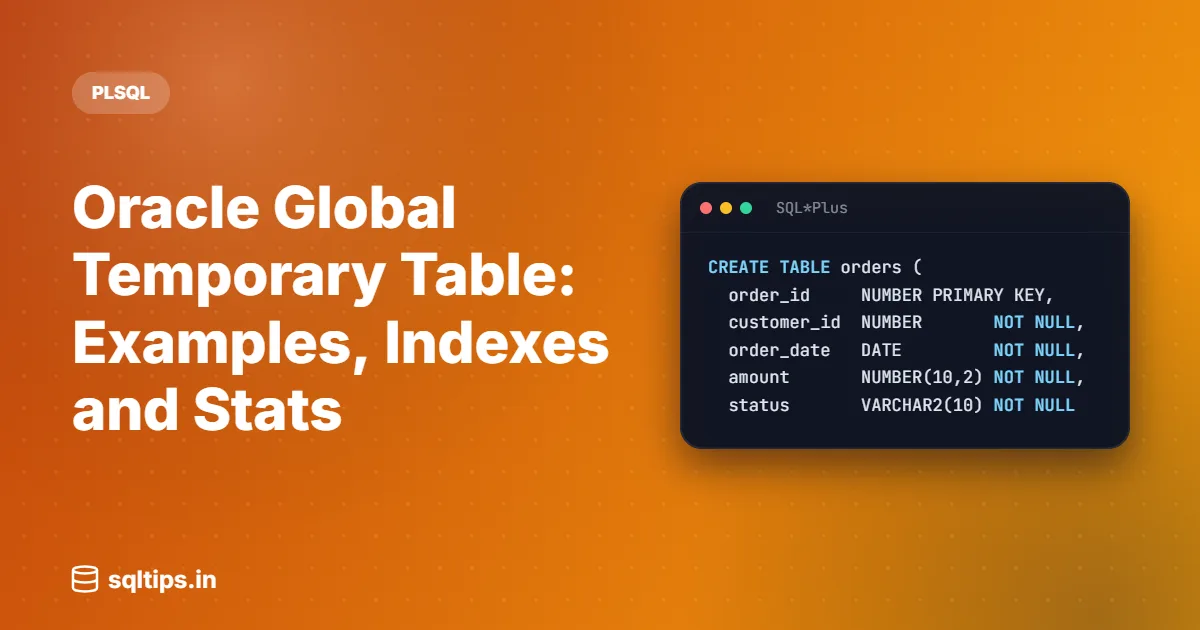
CREATE TABLE orders (
  order_id     NUMBER PRIMARY KEY,
  customer_id  NUMBER       NOT NULL,
  order_date   DATE         NOT NULL,
  amount       NUMBER(10,2) NOT NULL,
  status       VARCHAR2(10) NOT NULL
);

INSERT INTO orders VALUES (101, 1, DATE '2026-10-01', 2500.00, 'PAID');
INSERT INTO orders VALUES (102, 2, DATE '2026-10-02', 1200.00, 'PAID');
INSERT INTO orders VALUES (103, 1, DATE '2026-10-05',  800.00, 'PENDING');
INSERT INTO orders VALUES (104, 3, DATE '2026-10-07', 4300.00, 'PAID');
INSERT INTO orders VALUES (105, 2, DATE '2026-10-09',  650.00, 'CANCELLED');
INSERT INTO orders VALUES (106, 3, DATE '2026-10-12', 1900.00, 'PAID');
COMMIT;Example 1: transaction-specific GTT (ON COMMIT DELETE ROWS)
This type is useful for scratch data you need only inside one transaction, for example staging rows before a single INSERT ... SELECT into a permanent table.
Step 1: create the table
CREATE GLOBAL TEMPORARY TABLE gtt_order_stage (
  order_id     NUMBER,
  customer_id  NUMBER,
  amount       NUMBER(10,2)
) ON COMMIT DELETE ROWS;Step 2: insert and query in the same transaction
INSERT INTO gtt_order_stage (order_id, customer_id, amount)
SELECT order_id, customer_id, amount
  FROM orders
 WHERE status = 'PAID';

SELECT * FROM gtt_order_stage ORDER BY order_id;
ORDER_ID CUSTOMER_ID AMOUNT
---------- ----------- ----------
101 1 2500
102 2 1200
104 3 4300
106 3 1900The four PAID orders are visible because you are still inside the transaction that inserted them.
Step 3: commit and query again
COMMIT;

SELECT COUNT(*) FROM gtt_order_stage;
COUNT(*)
----------
0The commit ended the transaction, so Oracle truncated this session's rows. A ROLLBACK has the same effect. Nothing was deleted from the orders table, only the temporary rows are gone.
Example 2: session-specific GTT (ON COMMIT PRESERVE ROWS)
This type keeps rows across commits until the session ends. Use it when a session builds intermediate results in several steps, such as a report that runs a few queries and commits in between.
Step 1: create and fill the table
CREATE GLOBAL TEMPORARY TABLE gtt_customer_totals (
  customer_id  NUMBER,
  order_count  NUMBER,
  total_amount NUMBER(12,2)
) ON COMMIT PRESERVE ROWS;

INSERT INTO gtt_customer_totals (customer_id, order_count, total_amount)
SELECT customer_id, COUNT(*), SUM(amount)
  FROM orders
 WHERE status = 'PAID'
 GROUP BY customer_id;

COMMIT;

SELECT * FROM gtt_customer_totals ORDER BY customer_id;CUSTOMER_ID ORDER_COUNT TOTAL_AMOUNT
----------- ----------- ------------
1 1 2500
2 1 1200
3 2 6200The rows survived the commit. They stay until this session logs out or runs TRUNCATE on the table.
Step 2: query from a second session
Open a second connection as the same user (or as another user with SELECT privilege on the table) and run the same query:
SELECT COUNT(*) FROM gtt_customer_totals; COUNT(*)
----------
0Session 2 sees the table but none of session 1's rows. If session 2 inserts its own rows, session 1 will not see them either. Neither session can block the other on this data, because they never touch the same rows.
Step 3: clear the rows without logging out
TRUNCATE TABLE gtt_customer_totals;On a global temporary table, TRUNCATE removes only the current session's rows. Other sessions keep theirs. It also releases the session's binding to the table, which matters for the DDL rules in the next section.
Check whether a table is temporary
The TEMPORARY and DURATION columns of USER_TABLES tell you if a table is a GTT and which ON COMMIT setting it uses:
SELECT table_name, temporary, duration
  FROM user_tables
 WHERE table_name LIKE 'GTT%'
 ORDER BY table_name;
TABLE_NAME T DURATION
--------------------- - ---------------
GTT_CUSTOMER_TOTALS Y SYS$SESSION
GTT_ORDER_STAGE Y SYS$TRANSACTIONSYS$TRANSACTION means ON COMMIT DELETE ROWS and SYS$SESSION means ON COMMIT PRESERVE ROWS.
Using a GTT inside PL/SQL
A common pattern is a procedure that fills a GTT and then runs one or more queries against it. The table is created once, during deployment. The procedure only inserts and reads.
CREATE OR REPLACE PROCEDURE top_customers_report (p_min_total IN NUMBER) AS
BEGIN
  DELETE FROM gtt_customer_totals;  -- clear rows from an earlier call in this session

  INSERT INTO gtt_customer_totals (customer_id, order_count, total_amount)
  SELECT customer_id, COUNT(*), SUM(amount)
    FROM orders
   WHERE status = 'PAID'
   GROUP BY customer_id;

  FOR r IN (SELECT customer_id, total_amount
              FROM gtt_customer_totals
             WHERE total_amount >= p_min_total
             ORDER BY total_amount DESC)
  LOOP
    DBMS_OUTPUT.PUT_LINE('Customer ' || r.customer_id || ': ' || r.total_amount);
  END LOOP;
END;
/

SET SERVEROUTPUT ON
EXEC top_customers_report(2000)Customer 3: 6200
Customer 1: 2500The DELETE at the start matters. Because the table is ON COMMIT PRESERVE ROWS, rows from an earlier call in the same session would still be there. A DELETE is used here instead of TRUNCATE because TRUNCATE is DDL and would need EXECUTE IMMEDIATE and an implicit commit.
Indexes and DDL on global temporary tables
You can create indexes on a global temporary table. The index is temporary too: its entries have the same session or transaction scope as the table rows.
The catch is when you can run DDL. Oracle allows ALTER TABLE, DROP TABLE and CREATE INDEX on a GTT only when no session is bound to it. A session becomes bound with its first INSERT. It is released by TRUNCATE, by ending the session, or, for an ON COMMIT DELETE ROWS table, by COMMIT or ROLLBACK.
Suppose session 1 from Example 2 still has rows in gtt_customer_totals. Another session tries to add an index:
CREATE INDEX gtt_cust_tot_ix ON gtt_customer_totals (customer_id);ORA-14452: attempt to create, alter or drop an index on temporary table already in useThe fix is in Oracle's action text for this error: every session using a session-specific GTT must truncate it (or disconnect), and every transaction using a transaction-specific GTT must end. In practice, create indexes during deployment, before the application starts using the table. To find the sessions holding the table, look for sessions with a temporary segment on it in V$TEMPSEG_USAGE, or simply schedule the change in a maintenance window.
Optimizer statistics on global temporary tables
The optimizer needs statistics to pick a good plan, and GTTs are tricky because each session can have very different data. Oracle Database 12c added the table preference GLOBAL_TEMP_TABLE_STATS, which has two values:
SESSION: statistics gathered with DBMS_STATS.GATHER_TABLE_STATS are used only by the session that gathered them, and are deleted when that session ends.SHARED: all sessions see the same set of statistics, which is how releases before 12c worked.
During optimization, Oracle first looks for session-specific statistics on the GTT and uses them if they exist. Otherwise it uses shared statistics if any exist. Here is how to check the preference and gather session statistics after loading rows:
SELECT DBMS_STATS.GET_PREFS('GLOBAL_TEMP_TABLE_STATS', USER, 'GTT_CUSTOMER_TOTALS') AS pref
  FROM dual;

BEGIN
  DBMS_STATS.GATHER_TABLE_STATS(ownname => USER, tabname => 'GTT_CUSTOMER_TOTALS');
END;
/

SELECT table_name, num_rows, scope
  FROM user_tab_statistics
WHERE table_name = 'GTT_CUSTOMER_TOTALS';PREF
--------
SESSION
TABLE_NAME NUM_ROWS SCOPE
--------------------- -------- -------
GTT_CUSTOMER_TOTALS 3 SESSIONThe SCOPE column of USER_TAB_STATISTICS shows whether a row of statistics is session-specific or shared. The first result depends on your database settings, so check it on your system rather than assuming.
Two more details from the Oracle SQL Tuning Guide are worth knowing. For a transaction-specific (DELETE ROWS) GTT, GATHER_TABLE_STATS does not commit, so your rows are not wiped by gathering statistics. For a session-specific (PRESERVE ROWS) GTT, it does commit. Also, CREATE GLOBAL TEMPORARY TABLE ... AS SELECT gathers statistics automatically.
Global temporary tables vs private temporary tables
Oracle Database 18c added private temporary tables. Both the definition and the data of a private temporary table are visible only to the session that created it, and the definition is stored in memory. Their names must start with the prefix set by PRIVATE_TEMP_TABLE_PREFIX, which is ORA$PTT_ by default.
CREATE PRIVATE TEMPORARY TABLE ora$ptt_paid_orders (
  order_id NUMBER,
  amount   NUMBER(10,2)
) ON COMMIT PRESERVE DEFINITION;| Feature | Global temporary table | Private temporary table |
|---|---|---|
| Definition visible to | All sessions | Only the creating session |
| Definition stored | Data dictionary (disk) | Memory |
| Name rule | Normal table names | Must use the ORA$PTT_ prefix (default) |
| ON COMMIT options | DELETE ROWS / PRESERVE ROWS | DROP DEFINITION / PRESERVE DEFINITION |
| Indexes | Allowed | Not allowed |
| Optimizer statistics | Can be gathered | Cannot be gathered |
| Used in views, triggers, stored code | Yes | Not in permanent objects |
Choose a global temporary table for application code that runs every day: you define it once, index it, and reference it from packages. A private temporary table suits ad hoc scripts and cases where you cannot or do not want to create a permanent dictionary object.
Common mistakes
Creating the table inside a procedure on every run
Developers coming from SQL Server often create a temp table at the start of a procedure and drop it at the end. In Oracle that means dynamic DDL, implicit commits and ORA-14452 when sessions overlap. Oracle's own guidance is that you create a temporary table for the database itself, not for every stored procedure. Create the GTT once and reuse it.
Forgetting the default is DELETE ROWS
Without an ON COMMIT clause the table is transaction-specific. If your code commits between filling the table and reading it, the table is empty. Pick the clause on purpose and write it out every time.
Expecting other sessions to see the data
A GTT cannot be used to pass data between sessions, jobs or users. Each session has its own rows. Use a permanent table if another session must read the data.
Expecting the data to survive a failure
Backup and recovery are not available for temporary table data. Anything you need to keep must be copied to a permanent table.
Hitting a restriction at deployment time
In Oracle 19c, temporary tables cannot be partitioned, clustered or index-organized, cannot have foreign key constraints, cannot contain nested table columns, cannot have INVISIBLE columns, and do not support parallel UPDATE, DELETE or MERGE or distributed transactions.
Performance tips
- Index the GTT columns you join or filter on, just like a permanent table. Create the indexes at deployment time.
- After loading a large number of rows, gather statistics in the session (with the SESSION preference) so the optimizer does not guess the row count.
- Consider setting
TEMP_UNDO_ENABLEDto TRUE (Oracle 12c and later, COMPATIBLE 12.0.0 or higher). It stores undo for temporary objects separately from permanent undo, which Oracle documents as reducing the overall undo and redo the database generates. It must be set before the session first uses a temporary object, because it cannot be changed once that session has temporary objects using undo. - If many small GTT operations waste space in a temporary tablespace with a large extent size, the GTT can be placed in its own temporary tablespace with the TABLESPACE clause.
- Do not use a GTT where a single SQL statement (a join, a WITH clause or an analytic function) can do the job. A GTT adds an extra write and read of the data.
Frequently asked questions
What is the difference between ON COMMIT DELETE ROWS and ON COMMIT PRESERVE ROWS?
DELETE ROWS (the default) empties the session's rows at the end of every transaction. PRESERVE ROWS keeps them across commits until the session ends or truncates the table.
Can multiple sessions use the same global temporary table at the same time?
Yes. That is what the table is built for. Each session sees and changes only its own rows, so sessions do not block each other on the data.
Can we create an index on a global temporary table in Oracle?
Yes. The index is also temporary and has the same scope as the table data. You can only create it when no session is bound to the table, otherwise you get ORA-14452.
Does a global temporary table generate redo?
The table data itself is temporary, but DML on a GTT still generates undo, and with the default settings that undo is protected by redo. Setting TEMP_UNDO_ENABLED to TRUE keeps undo for temporary objects in the temporary tablespace and reduces this redo.
How do I drop a global temporary table that is in use?
All sessions using it must first truncate it or disconnect, and transactions using a DELETE ROWS table must end. Then DROP TABLE works like it does for a normal table.
Summary
- A GTT has a shared definition and session-private rows
- ON COMMIT DELETE ROWS (default) clears rows at commit; PRESERVE ROWS clears them at session end
- Create the GTT once at deployment, never inside procedures
- Clear the table at the start of each unit of work when sessions are pooled
- Create indexes before sessions start using the table to avoid ORA-14452
- Gather session statistics after big loads; check the SCOPE column
- Use private temporary tables (18c+) for ad hoc, session-only work
