In this article
- How an identity column works
- Sample setup
- GENERATED ALWAYS: Oracle owns the value
- GENERATED BY DEFAULT and BY DEFAULT ON NULL
- Set the start value, step and cache
- Get the generated ID back in PL/SQL
- Find the sequence behind an identity column
- Fix ORA-00001 after loading rows with your own IDs
- Change or remove an identity column
- Identity column vs sequence vs trigger
- Common mistakes
- Performance tips
- Frequently asked questions
- Summary
An Oracle identity column is a numeric column that fills itself with the next number every time you insert a row. You declare it with GENERATED AS IDENTITY in CREATE TABLE, and Oracle creates and manages a sequence for it behind the scenes. It is Oracle's built-in answer to AUTO_INCREMENT in MySQL and has been available since Oracle Database 12c Release 1.
There are three variants: GENERATED ALWAYS, GENERATED BY DEFAULT and GENERATED BY DEFAULT ON NULL. They differ in one thing: whether you are allowed to supply your own value. This tutorial shows each one on a small table, the errors each one raises, how to get the new ID back in PL/SQL, and how to fix the most common production problem: ORA-00001 after someone loads rows with their own IDs.
How an identity column works
When you create an identity column, Oracle creates a system-generated sequence and links it to the column. On every INSERT that needs a value, Oracle takes the next number from that sequence. You never create, name or drop this sequence yourself. Its name looks like ISEQ$_74321, and the number differs on every database.
Oracle also adds a NOT NULL constraint to the column automatically. It does not add a primary key or unique constraint. If the column is your key, declare PRIMARY KEY yourself.
The three generation types behave like this:
| Clause | Insert without the column | Insert explicit value | Insert explicit NULL | Update the column |
|---|---|---|---|---|
| GENERATED ALWAYS (the default) | Generated | Error ORA-32795 | Error ORA-32795 | Error ORA-32796 |
| GENERATED BY DEFAULT | Generated | Your value is stored | Error ORA-01400 | Allowed |
| GENERATED BY DEFAULT ON NULL | Generated | Your value is stored | Generated | Allowed |
If you write just GENERATED AS IDENTITY with no keyword, you get ALWAYS. That is the safest choice for a surrogate key, because no application code can put its own number in the column.
A few rules from the Oracle documentation apply to every variant:
- Only one identity column per table.
- The data type must be numeric, usually
NUMBER. You cannot use a user-defined type. - You cannot combine the identity clause with a
DEFAULTclause on the same column. CREATE TABLE ... AS SELECTcopies the values but not the identity property.
Sample setup
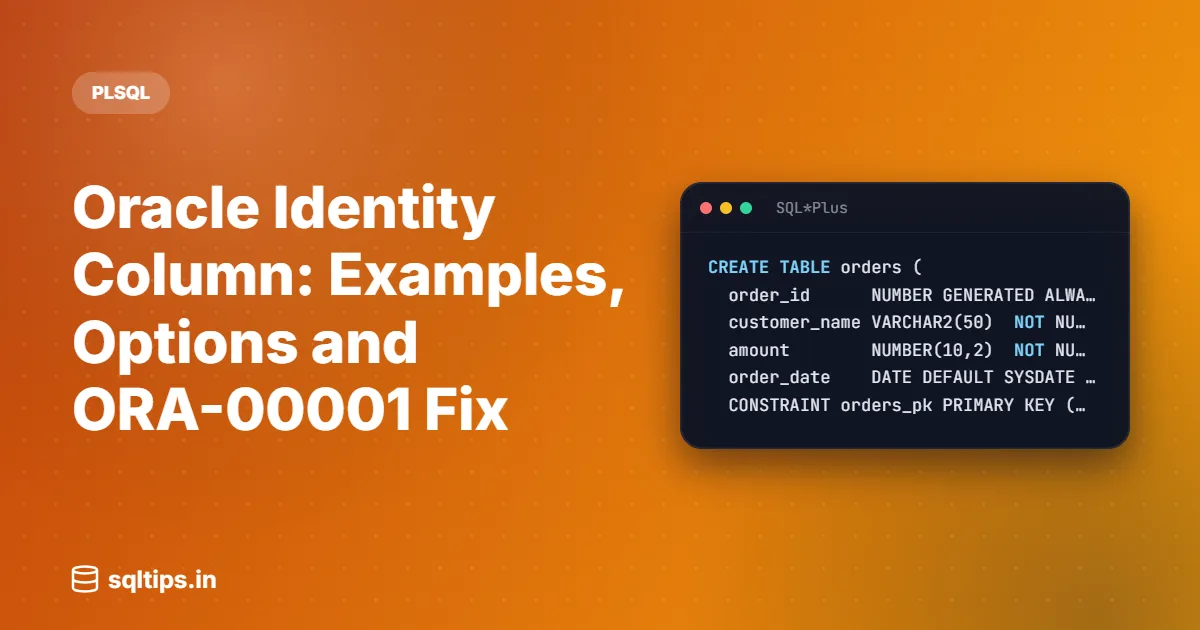
Run this in any schema where you can create tables. The orders table uses GENERATED ALWAYS, the usual choice for a key that only the database should assign.
CREATE TABLE orders (
  order_id      NUMBER GENERATED ALWAYS AS IDENTITY,
  customer_name VARCHAR2(50)  NOT NULL,
  amount        NUMBER(10,2)  NOT NULL,
  order_date    DATE DEFAULT SYSDATE NOT NULL,
  CONSTRAINT orders_pk PRIMARY KEY (order_id)
);

INSERT INTO orders (customer_name, amount) VALUES ('Priya', 1250.00);
INSERT INTO orders (customer_name, amount) VALUES ('Rahul', 899.50);
INSERT INTO orders (customer_name, amount) VALUES ('Anita', 4300.00);
COMMIT;None of the INSERT statements mention order_id. Oracle fills it in:
SELECT order_id, customer_name, amount
  FROM orders
ORDER BY order_id;| ORDER_ID | CUSTOMER_NAME | AMOUNT |
|---|---|---|
| 1 | Priya | 1250 |
| 2 | Rahul | 899.5 |
| 3 | Anita | 4300 |
Output (expected output). The sequence starts at 1 and goes up by 1, because those are the defaults when you give no identity options.
GENERATED ALWAYS: Oracle owns the value
Step 1: try to insert your own ID
With ALWAYS, any attempt to supply a value is rejected, even a NULL:
INSERT INTO orders (order_id, customer_name, amount)
VALUES (10, 'Vikram', 500);ORA-32795: cannot insert into a generated always identity columnStep 2: try to update the ID
UPDATE orders
   SET order_id = 99
WHERE order_id = 1;ORA-32796: cannot update a generated always identity columnThis is the point of ALWAYS. The key cannot be changed by mistake, and it cannot collide with numbers that some script invented. The cost is that data migrations which must keep the old IDs need an extra step, covered later in this article.
GENERATED BY DEFAULT and BY DEFAULT ON NULL
Use BY DEFAULT when you sometimes need to supply the ID yourself, for example when copying rows from another system and keeping their original numbers.
CREATE TABLE payments (
  payment_id NUMBER GENERATED BY DEFAULT AS IDENTITY,
  order_id   NUMBER        NOT NULL,
  amount     NUMBER(10,2)  NOT NULL,
  CONSTRAINT payments_pk PRIMARY KEY (payment_id)
);

INSERT INTO payments (order_id, amount) VALUES (1, 1250.00);
INSERT INTO payments (payment_id, order_id, amount) VALUES (500, 2, 899.50);
COMMIT;

SELECT payment_id, order_id, amount FROM payments ORDER BY payment_id;| PAYMENT_ID | ORDER_ID | AMOUNT |
|---|---|---|
| 1 | 1 | 1250 |
| 500 | 2 | 899.5 |
Output (expected output). The first row got a generated value. The second row kept the 500 you supplied. Supplying a value does not move the sequence, so the next generated value is still 2.
The NULL trap
Many applications and ORMs send every column in the INSERT, including the key, with NULL when they have no value. Plain BY DEFAULT treats that NULL as your explicit value, and the implicit NOT NULL constraint rejects it:
INSERT INTO payments (payment_id, order_id, amount)
VALUES (NULL, 3, 4300.00);ORA-01400: cannot insert NULL into ("APP"."PAYMENTS"."PAYMENT_ID")ON NULL fixes this. With GENERATED BY DEFAULT ON NULL AS IDENTITY, Oracle generates a value whenever the INSERT would store NULL, whether you left the column out or passed NULL on purpose:
CREATE TABLE refunds (
  refund_id  NUMBER GENERATED BY DEFAULT ON NULL AS IDENTITY,
  payment_id NUMBER       NOT NULL,
  amount     NUMBER(10,2) NOT NULL,
  CONSTRAINT refunds_pk PRIMARY KEY (refund_id)
);

INSERT INTO refunds (refund_id, payment_id, amount) VALUES (NULL, 1, 250.00);
INSERT INTO refunds (payment_id, amount) VALUES (500, 100.00);
COMMIT;

SELECT refund_id, payment_id, amount FROM refunds ORDER BY refund_id;| REFUND_ID | PAYMENT_ID | AMOUNT |
|---|---|---|
| 1 | 1 | 250 |
| 2 | 500 | 100 |
Output (expected output). Both rows got generated IDs. ON NULL only applies to INSERT. An UPDATE that sets the column to NULL still fails, because the column is NOT NULL.
Set the start value, step and cache
The identity options take the same parameters as CREATE SEQUENCE. Put them in brackets after the identity clause:
CREATE TABLE invoices (
  invoice_no NUMBER GENERATED ALWAYS AS IDENTITY
             (START WITH 1000 INCREMENT BY 1 CACHE 100),
  order_id   NUMBER NOT NULL,
  CONSTRAINT invoices_pk PRIMARY KEY (invoice_no)
);

INSERT INTO invoices (order_id) VALUES (1);
INSERT INTO invoices (order_id) VALUES (2);
COMMIT;

SELECT invoice_no, order_id FROM invoices ORDER BY invoice_no;| INVOICE_NO | ORDER_ID |
|---|---|
| 1000 | 1 |
| 1001 | 2 |
Output (expected output). CACHE 100 makes Oracle keep 100 values ready in memory instead of the default 20. Oracle's own CREATE TABLE documentation recommends a CACHE higher than 20 for identity columns to improve performance. The trade-off is covered in the performance section below.
Get the generated ID back in PL/SQL
After inserting an order you usually need its new ID, for example to insert the order lines. Do not run SELECT MAX(order_id) for this. Another session may insert a row between your INSERT and your SELECT. Use the RETURNING INTO clause, which hands back the value from your own INSERT:
DECLARE
  v_order_id orders.order_id%TYPE;
BEGIN
  INSERT INTO orders (customer_name, amount)
  VALUES ('Meera', 2100.00)
  RETURNING order_id INTO v_order_id;

  DBMS_OUTPUT.PUT_LINE('New order id: ' || v_order_id);
  COMMIT;
END;
/New order id: 4The 4 assumes the failed statements earlier did not use up sequence values. If your number is higher, that is normal. Identity values can have gaps, and your code should never depend on them being consecutive.
Find the sequence behind an identity column
The USER_TAB_IDENTITY_COLS view lists every identity column in your schema with its generation type and the name of its sequence. Use ALL_TAB_IDENTITY_COLS or DBA_TAB_IDENTITY_COLS to see other schemas.
SELECT table_name, column_name, generation_type, sequence_name
  FROM user_tab_identity_cols
ORDER BY table_name;| TABLE_NAME | COLUMN_NAME | GENERATION_TYPE | SEQUENCE_NAME |
|---|---|---|---|
| INVOICES | INVOICE_NO | ALWAYS | ISEQ$_74330 |
| ORDERS | ORDER_ID | ALWAYS | ISEQ$_74321 |
| PAYMENTS | PAYMENT_ID | BY DEFAULT | ISEQ$_74325 |
| REFUNDS | REFUND_ID | BY DEFAULT | ISEQ$_74328 |
Output (expected output, the ISEQ$ numbers will differ). GENERATION_TYPE shows only ALWAYS or BY DEFAULT. The IDENTITY_OPTIONS column in the same view shows the start value, increment, cache and other settings as text.
Fix ORA-00001 after loading rows with your own IDs
This is the problem that brings most people to identity columns in a hurry. Someone loads rows into a BY DEFAULT column with their own IDs. The sequence does not know about those rows. Later, the sequence reaches one of those numbers and the INSERT fails.
Step 1: reproduce the problem
-- payments already has 1 (generated) and 500 (explicit)
INSERT INTO payments (payment_id, order_id, amount) VALUES (2, 3, 4300.00);
INSERT INTO payments (payment_id, order_id, amount) VALUES (3, 4, 2100.00);
COMMIT;

-- the next generated value is 2, which now exists
INSERT INTO payments (order_id, amount) VALUES (1, 50.00);ORA-00001: unique constraint (APP.PAYMENTS_PK) violatedNewer releases add the table and column names to the ORA-00001 message, but the cause is the same. The sequence is behind the data.
Step 2: move the sequence past the highest value
START WITH LIMIT VALUE exists only for identity columns and only in ALTER TABLE MODIFY. Oracle locks the table, finds the highest value in the column, and makes the next generated value that maximum plus the increment.
ALTER TABLE payments MODIFY payment_id
GENERATED BY DEFAULT AS IDENTITY (START WITH LIMIT VALUE);INSERT INTO payments (order_id, amount) VALUES (1, 50.00);
COMMIT;
SELECT MAX(payment_id) FROM payments;MAX(PAYMENT_ID)
---------------
501The highest value was 500, so the new row got 501. Notice that this also skips over the free numbers 4 to 499. That is fine for a surrogate key, which only needs to be unique.
Change or remove an identity column
Switch ALWAYS to BY DEFAULT for a data load
To load rows with fixed IDs into an ALWAYS table, switch it to BY DEFAULT, load, move the sequence past the data, and switch back:
ALTER TABLE orders MODIFY order_id GENERATED BY DEFAULT AS IDENTITY;

-- load rows with their original order_id values here

ALTER TABLE orders MODIFY order_id
GENERATED ALWAYS AS IDENTITY (START WITH LIMIT VALUE);Remove the identity property
ALTER TABLE orders MODIFY order_id DROP IDENTITY;This removes the sequence and the implicit NOT NULL constraint. Existing values stay as they are. The primary key you declared yourself stays too.
You cannot convert an existing column
You cannot turn an existing plain column into an identity column with ALTER TABLE MODIFY:
CREATE TABLE customers (
  customer_id   NUMBER PRIMARY KEY,
  customer_name VARCHAR2(50)
);

ALTER TABLE customers MODIFY customer_id GENERATED ALWAYS AS IDENTITY;ORA-30673: column to be modified is not an identity columnThe usual options are to keep the column and fill it from a normal sequence with DEFAULT customer_seq.NEXTVAL, or to add a new identity column with ALTER TABLE ... ADD. When you add a new identity column, Oracle fills all existing rows from the sequence, but the documentation says the order in which rows get their numbers is not deterministic.
Identity column vs sequence vs trigger
Before 12c, the usual way to auto-number a key was a sequence plus a BEFORE INSERT trigger. You still see this in older code. Here is how the options compare:
| Identity column | DEFAULT seq.NEXTVAL | Sequence + trigger | |
|---|---|---|---|
| Available from | 12c | 12c | All versions |
| Sequence managed by | Oracle | You | You |
| Block explicit values | Yes, with ALWAYS | No | Only with trigger logic |
| Share one sequence across tables | No | Yes | Yes |
| Extra per-row PL/SQL | None | None | Trigger fires per row |
| Copied by CREATE TABLE AS SELECT | No | No | No |
For a new table that just needs a unique key, use an identity column. Use your own sequence when several tables must share one number range, or when you need to fetch the next number before the INSERT. Avoid the trigger approach in new code. It adds a PL/SQL call for every row and does nothing an identity column cannot do.
Common mistakes
- Assuming the identity column is the primary key. Oracle adds only NOT NULL. Without your own
PRIMARY KEYorUNIQUEconstraint, explicit values in a BY DEFAULT column can create duplicates. - Using plain BY DEFAULT with a framework that sends NULL. You get ORA-01400. Use
BY DEFAULT ON NULL. - Loading data with explicit IDs and forgetting the sequence. Everything works until the sequence catches up, then you get ORA-00001. Run START WITH LIMIT VALUE after every such load.
- Expecting TRUNCATE to restart numbering. TRUNCATE removes rows. It does not reset the sequence. To restart, use
ALTER TABLE ... MODIFY ... (START WITH 1)on the empty table. - Reading the new ID with MAX(). It is wrong when other sessions insert at the same time. Use
RETURNING INTO. - Expecting no gaps. Rolled-back inserts, failed statements and cached values lost at instance shutdown or failure all leave gaps. Never use an identity column where the business needs consecutive numbers, such as some invoice numbering rules.
- Copying a table with CREATE TABLE AS SELECT and expecting auto-numbering. The copy has a plain NUMBER column. Create the new table with the identity clause first, then copy the rows into it.
Performance tips
- Raise CACHE on busy tables. Each time the cache runs out, Oracle updates the sequence in the data dictionary. With a larger cache this happens less often. Oracle recommends a value above the default of 20 for identity columns.
- Accept the gaps that cache causes. If the instance fails or shuts down abnormally, unused cached values are lost. With CACHE 100 you can lose up to 100 numbers. That is harmless for a surrogate key.
- Leave NOORDER in place. NOORDER is the default. The CREATE SEQUENCE documentation notes that guaranteed order is usually not important for primary keys, and in Oracle RAC,
ORDERadds coordination between instances. - Know the hot index block. Increasing keys from many sessions all insert into the right-hand edge of the primary key index. On very high insert rates this can become a point of contention. Measure before you change anything, for example with AWR wait events.
Frequently asked questions
Does Oracle have auto increment?
Yes. Since Oracle 12c, an identity column (GENERATED AS IDENTITY) is Oracle's auto increment. In 11g and earlier there is no such clause, and you use a sequence with a BEFORE INSERT trigger.
How do I reset an identity column in Oracle?
Use ALTER TABLE MODIFY with a new START WITH. (START WITH LIMIT VALUE) continues after the current highest value. (START WITH 1) restarts from 1, which you should only do on an empty table or you will get ORA-00001.
What is the difference between an identity column and a sequence in Oracle?
An identity column uses a sequence internally, but Oracle creates and owns it, it belongs to one column of one table, and with ALWAYS it blocks manual values. A standalone sequence is an object you manage and can use from any table or PL/SQL code.
Can I insert a value into an identity column in Oracle?
Only if it is GENERATED BY DEFAULT or BY DEFAULT ON NULL. With GENERATED ALWAYS you get ORA-32795. If you insert your own values, move the sequence afterwards with START WITH LIMIT VALUE.
Can I make an existing column an identity column?
No. ALTER TABLE MODIFY on a non-identity column raises ORA-30673. Add a new identity column, or use a column default of sequence.NEXTVAL on the existing column.
Summary
- Use GENERATED ALWAYS AS IDENTITY for new surrogate keys; Oracle blocks manual values.
- Use GENERATED BY DEFAULT ON NULL when tools send NULL or you must load existing IDs.
- Declare PRIMARY KEY yourself; the identity clause only adds NOT NULL.
- Get the new ID with RETURNING INTO, never with MAX().
- After loading explicit IDs, run START WITH LIMIT VALUE and restate CACHE and ON NULL.
- Find the hidden sequence in USER_TAB_IDENTITY_COLS; never try to drop it.
- Raise CACHE on busy tables and treat gaps as normal.
