In this article
- How recovering deleted records after commit works
- Sample setup
- Method 1: recover deleted rows with Flashback Query
- Method 2: find the exact time of the delete with VERSIONS BETWEEN
- Method 3: rewind the whole table with FLASHBACK TABLE
- How far back can you recover deleted data?
- Common mistakes
- Best practices
- Frequently asked questions
- Summary
You ran a DELETE, typed COMMIT, and then saw the WHERE clause was wrong. ROLLBACK cannot help you now, because the transaction is already committed. In most cases you can still get the rows back with Oracle Flashback Query: you read the table as it was a few minutes ago with AS OF TIMESTAMP and insert the missing rows again.
This works because Oracle keeps the old versions of changed rows in undo for a while after the commit. The window is limited, so speed matters. This guide shows the exact steps on a small orders table, how to find the precise moment of the delete, when to use FLASHBACK TABLE instead, and what to do when the undo is already gone.
How recovering deleted records after commit works
Every time you change a row, Oracle writes the old version of that row to the undo tablespace. Undo is what makes ROLLBACK and read consistency work. After you commit, that undo is no longer needed for rollback, but Oracle does not throw it away at once. It keeps it for at least UNDO_RETENTION seconds (default 900, which is 15 minutes) when there is enough space, and often longer when automatic undo tuning extends retention.
Flashback Query reads that undo. When you write SELECT ... FROM orders AS OF TIMESTAMP ..., Oracle rebuilds each block as it looked at that time and returns the old rows, including the ones you deleted. Nothing is changed by the query itself. You decide what to do with the result.
There are three tools for this job, and they suit different situations:
| Tool | What it does | Best for |
|---|---|---|
| Flashback Query (AS OF) | Reads old row versions; you re-insert them yourself | Restoring a few deleted or wrongly updated rows |
| Flashback Version Query (VERSIONS BETWEEN) | Lists every version of a row in a time range, with the operation | Finding exactly when the delete happened |
| FLASHBACK TABLE ... TO TIMESTAMP | Rewinds the whole table to an earlier time | Undoing everything since a point, when nothing else must be kept |
Sample setup
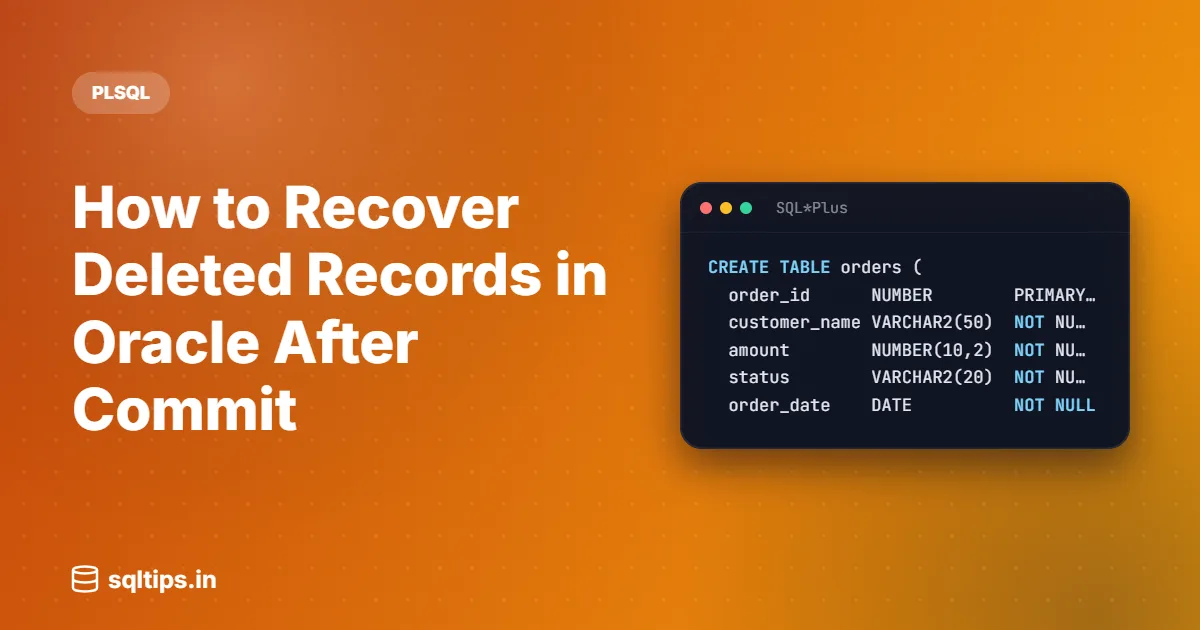
Create a small orders table and add five rows. You can follow every step below on your own schema.
CREATE TABLE orders (
  order_id      NUMBER        PRIMARY KEY,
  customer_name VARCHAR2(50)  NOT NULL,
  amount        NUMBER(10,2)  NOT NULL,
  status        VARCHAR2(20)  NOT NULL,
  order_date    DATE          NOT NULL
);

INSERT INTO orders VALUES (101, 'Asha',  2500, 'SHIPPED',   DATE '2026-10-01');
INSERT INTO orders VALUES (102, 'Ravi',  1200, 'PENDING',   DATE '2026-10-03');
INSERT INTO orders VALUES (103, 'Meera',  800, 'PENDING',   DATE '2026-10-05');
INSERT INTO orders VALUES (104, 'John',  4300, 'CANCELLED', DATE '2026-10-06');
INSERT INTO orders VALUES (105, 'Priya', 1500, 'PENDING',   DATE '2026-10-08');
COMMIT;Now make the mistake. The plan was to delete cancelled orders, but the WHERE clause says PENDING:
DELETE FROM orders WHERE status = 'PENDING';
COMMIT;

SELECT order_id, customer_name, status FROM orders ORDER BY order_id;ORDER_ID CUSTOMER_NAME STATUS
-------- ------------- ---------
101 Asha SHIPPED
104 John CANCELLEDThree orders (102, 103 and 105) are gone and the delete is committed. Here is how to get them back.
Method 1: recover deleted rows with Flashback Query
Step 1: look at the table as it was before the delete
Add AS OF TIMESTAMP after the table name. Pick a time that you are sure is before the delete. A rough time is fine for a first look.
SELECT order_id, customer_name, amount, status
  FROM orders AS OF TIMESTAMP (SYSTIMESTAMP - INTERVAL '15' MINUTE)
ORDER BY order_id;ORDER_ID CUSTOMER_NAME AMOUNT STATUS
-------- ------------- ------ ---------
101 Asha 2500 SHIPPED
102 Ravi 1200 PENDING
103 Meera 800 PENDING
104 John 4300 CANCELLED
105 Priya 1500 PENDINGAll five rows are visible again. The table itself still has two rows; only this query sees the past. In a real incident you will usually know the clock time, so use an exact timestamp:
SELECT *
  FROM orders AS OF TIMESTAMP
TO_TIMESTAMP('2026-10-31 10:40:00', 'YYYY-MM-DD HH24:MI:SS');Step 2: save the old rows in a staging table
Before you touch the real table, copy the old state into a separate table. If undo is overwritten while you work, you still have the data.
CREATE TABLE orders_recovered AS
  SELECT *
FROM orders AS OF TIMESTAMP (SYSTIMESTAMP - INTERVAL '15' MINUTE);Check orders_recovered and confirm it holds the rows you expect. This is a normal table, so it does not depend on undo any more.
Step 3: insert only the missing rows
Insert rows from the staging table that do not exist in orders now. NOT EXISTS on the primary key avoids duplicate key errors for rows that were never deleted.
INSERT INTO orders
  SELECT r.*
    FROM orders_recovered r
   WHERE NOT EXISTS (SELECT 1
                       FROM orders o
                      WHERE o.order_id = r.order_id);

COMMIT;3 rows created.
Commit complete.The three pending orders are back with their original values. Rows that other users inserted or changed after the delete are untouched, which is the main advantage over rewinding the whole table. When you are done and have verified the data, drop orders_recovered.
If you prefer one statement and the window is short, you can insert straight from the flashback query, as the Oracle documentation shows: INSERT INTO orders SELECT * FROM orders AS OF TIMESTAMP (...) MINUS SELECT * FROM orders; Be careful with it: MINUS compares whole rows, so a row that was updated since then also comes back and fails on the primary key. Filtering on the key with NOT EXISTS, and checking rows in a staging table first, is safer.
Method 2: find the exact time of the delete with VERSIONS BETWEEN
Guessing "15 minutes ago" is risky. Too early and you miss rows inserted just before the delete. Too late and the rows are already gone. Flashback Version Query shows every version of each row in a time range, with the operation that created it in VERSIONS_OPERATION (I insert, U update, D delete).
SELECT versions_startscn,
       versions_xid,
       versions_operation,
       order_id, customer_name, status
  FROM orders
       VERSIONS BETWEEN TIMESTAMP
                (SYSTIMESTAMP - INTERVAL '30' MINUTE)
            AND SYSTIMESTAMP
 WHERE versions_operation = 'D'
ORDER BY order_id;VERSIONS_STARTSCN VERSIONS_XID V ORDER_ID CUSTOMER_NAME STATUS
----------------- ---------------- - -------- ------------- -------
4518732 0A001F00C2340000 D 102 Ravi PENDING
4518732 0A001F00C2340000 D 103 Meera PENDING
4518732 0A001F00C2340000 D 105 Priya PENDINGAll three rows were deleted by the same transaction (VERSIONS_XID), committed at SCN 4518732. A delete version shows the values the row had when it was deleted, so you can already see what you lost.
Now you can read the table as of the SCN just before that commit. This is more precise than a timestamp, which Oracle maps to an SCN with an error of up to 3 seconds:
SELECT *
  FROM orders AS OF SCN 4518731
ORDER BY order_id;Use the same AS OF SCN clause in the CREATE TABLE orders_recovered AS SELECT statement from Method 1. Oracle recommends avoiding VERSIONS_STARTTIME and VERSIONS_ENDTIME in large version queries for performance, which is why this query uses the SCN columns.
Method 3: rewind the whole table with FLASHBACK TABLE
FLASHBACK TABLE puts the entire table back to an earlier time in one statement. It is quick, but it also undoes every other change made to the table after that point, including good ones by other users. Use it only when you are sure nothing after the target time needs to be kept.
ALTER TABLE orders ENABLE ROW MOVEMENT;

FLASHBACK TABLE orders TO SCN 4518731;Things to know before you run it:
- Row movement must be enabled first, because Flashback Table does not keep the original rowids. Without it you get
ORA-08189: cannot flashback the table because row movement is not enabled. - You need the
FLASHBACKobject privilege on the table (orFLASHBACK ANY TABLE) plusSELECTorREAD,INSERT,DELETEandALTERon it. - Oracle takes exclusive DML locks on the table while it runs, so other sessions wait.
- You cannot roll it back. If you picked the wrong point, run another
FLASHBACK TABLEto a time just before you ran the first one. - Enabled triggers on the table are disabled during the operation by default, so your delete or insert triggers do not fire.
- Statistics are not reverted, and indexes dropped in the meantime are not recreated.
- Flashback Table is an Enterprise Edition feature; it is not included in Standard Edition 2.
Recovering a dropped table from the recycle bin
If someone ran DROP TABLE rather than DELETE, undo is not involved. A dropped table goes to the recycle bin (unless it was dropped with PURGE), and you bring it back like this:
SELECT object_name, original_name, droptime
  FROM user_recyclebin
 WHERE original_name = 'ORDERS';

FLASHBACK TABLE orders TO BEFORE DROP;

-- if a new ORDERS table was already created:
FLASHBACK TABLE orders TO BEFORE DROP RENAME TO orders_old;Indexes, triggers and most constraints come back with it, but referential (foreign key) constraints that point to other tables are not restored, and the indexes keep their system-generated recycle bin names. Recreate the foreign keys and rename the indexes afterwards.
How far back can you recover deleted data?
There is no fixed answer. It depends on how much undo your database keeps and how busy it is. Start with these two checks:
SELECT value AS undo_retention_seconds
  FROM v$parameter
 WHERE name = 'undo_retention';

SELECT MAX(tuned_undoretention) AS tuned_seconds
FROM v$undostat;UNDO_RETENTION_SECONDS
----------------------
900
TUNED_SECONDS
-------------
(depends on your workload and undo size)UNDO_RETENTION is the low threshold. Oracle tries to keep undo at least that long, and TUNED_UNDORETENTION shows the retention it is currently managing. Neither is a promise: if the undo tablespace runs short of space, unexpired undo can be overwritten. When the undo you need is gone, the flashback query fails with ORA-01555: snapshot too old.
If your team relies on this kind of recovery, ask the DBA to raise UNDO_RETENTION and size the undo tablespace for it. RETENTION GUARANTEE on the undo tablespace stops Oracle from overwriting unexpired undo, but then DML can fail when undo space runs out, so it is a decision for the DBA, not a quick fix.
Common mistakes
Running TRUNCATE or changing the table first
DDL that changes the table structure, such as TRUNCATE, moving the table, adding a constraint, or modifying or dropping a column, invalidates the undo for that table. A flashback query to a time before that DDL fails with ORA-01466. Do not "tidy up" the table before you recover the rows. Also note that a truncated table cannot be recovered with Flashback Query at all.
Waiting too long
Every minute of normal activity uses undo space. Run the CREATE TABLE AS SELECT from Method 1 first, and only then look into who ran the delete and why.
Re-inserting everything and hitting ORA-00001
INSERT INTO orders SELECT * FROM orders AS OF ... without a filter tries to insert the rows that still exist too, and the primary key rejects them with a unique constraint error. Filter on the key with NOT EXISTS as shown above.
Identity columns declared GENERATED ALWAYS
If the key is GENERATED ALWAYS AS IDENTITY, you cannot insert the old key values directly (ORA-32795: cannot insert into a generated always identity column). The DBA can temporarily change the column to GENERATED BY DEFAULT, insert the rows with their original IDs, and change it back. Check that the identity's next value is still above the restored IDs.
Forgetting the side effects of re-inserting
Your INSERT fires the table's triggers and is checked against current constraints. If child rows (for example order_items) were deleted by ON DELETE CASCADE, recover those tables too, parent first.
Best practices
- Note the current SCN before risky manual changes:
SELECT dbms_flashback.get_system_change_number FROM dual;(needs EXECUTE on DBMS_FLASHBACK). Then you know exactly where to flash back to. - Use a staging table for recovery, and verify row counts against it before committing the re-insert.
- Give developers
FLASHBACKandSELECTon the tables they own so they can recover their own mistakes, instead ofFLASHBACK ANY TABLE. - Prefer Flashback Query over FLASHBACK TABLE on shared tables, because it restores only what was lost.
- Flashback is not a backup. Keep tested RMAN backups for anything older than your undo window.
Frequently asked questions
Can I rollback a delete after commit in Oracle?
No. ROLLBACK only undoes uncommitted work. After the commit, use Flashback Query to read the old rows and insert them again, or FLASHBACK TABLE to rewind the table.
How do I recover deleted records in Oracle without flashback?
If the undo has been overwritten, the data has to come from somewhere else: an export, a copy in another environment, or an RMAN backup restored to a point in time before the delete (for example into an auxiliary database). Your DBA decides the right method; this takes much longer than a flashback query.
How long is deleted data available for Flashback Query?
At least UNDO_RETENTION seconds (900 by default) if the undo tablespace has room, and often longer when Oracle auto-tunes retention. Check V$UNDOSTAT.TUNED_UNDORETENTION for the current value on your system.
What privilege is needed for Flashback Query?
You need FLASHBACK and SELECT (or READ) on the table, or the system privilege FLASHBACK ANY TABLE. The table owner can run flashback queries on their own tables.
Can I recover a truncated table with Flashback Query?
No. TRUNCATE is DDL and invalidates the table's undo, so a flashback query to a time before it raises ORA-01466. You need a backup or, if it is configured, Flashback Database.
Summary
- After a committed DELETE,
ROLLBACKis useless; Flashback Query reads the old rows from undo. - Act fast and copy the old state with
CREATE TABLE ... AS SELECT ... AS OF TIMESTAMP. - Use
VERSIONS BETWEENwithversions_operation = 'D'to find the exact SCN of the delete. - Re-insert only the missing rows with
NOT EXISTSand commit. - Use FLASHBACK TABLE only when losing all later changes is acceptable, and enable row movement first.
- Use
FLASHBACK TABLE ... TO BEFORE DROPfor dropped tables. - Do not run TRUNCATE or other structural DDL before recovering; it causes
ORA-01466.
